05 / Always-on growth

Keep your marketing running all year.

Keep at least one marketing campaign active throughout the year, with a place to review what is running.

Why it matters

Keep a campaign active all year.

Plan campaigns around seasons and offers, then review and adjust what is running.

Always-on visibility

Keep campaigns running throughout the year.

Keep at least one campaign active every day instead of relying on a few disconnected promotions during the year.

365Days each year
1+Active campaign
AlwaysVisible to customers
Examples only, not a forecast. Actual results and costs vary.
Restaurant owner reviewing plans on her laptop beside a calendar

What you get

Plan and oversee year-round campaigns.

01

Plan your calendar

Schedule campaigns around your business, seasons, and offers.

02

Keep campaigns active

Create new campaign material without starting from scratch.

03

Review and adjust

See what is running and make changes when your priorities shift.

Automation workflow preview

A text to you.
A campaign to your customers.

The planned workflow: AI texts you a campaign. Love it? Approve it. Want a change? Ask for another idea. Once you approve a version, it goes to your connected Instagram, Facebook, and Google accounts.

Your standing brief · example “Help fill quiet weekdays. Focus on new dishes. Keep discounts at 10% or less.”
Pickup onlyGenerate every 30 daysSkip blackout dates
Watch the owner’s conversation
  1. 01 / A conversation, not a project

    Your next campaign comes to you.

    heymate!™Messages · Your phone

    Hey! Your lunch campaign is ready. Shall we post it?

    Lunch campaign artwork sent to the owner
    Looks goodTry another idea
    YouCan we feature the new chicken bowl instead?
    Thinking… updating your campaign

    5 minutes later*How about this? New chicken bowl, 10% off. Ready to share?

    Revised chicken bowl promotionNew bowl.
    10% off.
    Looks good—post itTry another idea
    YouYes, post this one! ✓

    A quick reply to change it. A quick approval to send it.

  2. 02 / Your approval starts publishing

    One approval. Three channels.

    Great! Your campaign is going out.

    Owner approved · Ready to publish

    Instagram✓ Published · illustrative
    Google Business Profile✓ Published · illustrative

    Your approved offer reaches the connected channels without repeating the same publishing steps.

Planned workflow, not a live product screenshot. *The five-minute revision is illustrative; generation times vary. SMS approvals, feedback-triggered regeneration, and approval-triggered publishing are not currently available as this complete flow.

Next cycle. Same rules. A fresh campaign.The goal: less chasing, creating, and repetitive publishing.

The result · example campaign

Your next offer, ready to review.

A clear offer, customer-facing copy, and a schedule—built around your menu and the rules you set.
The offer
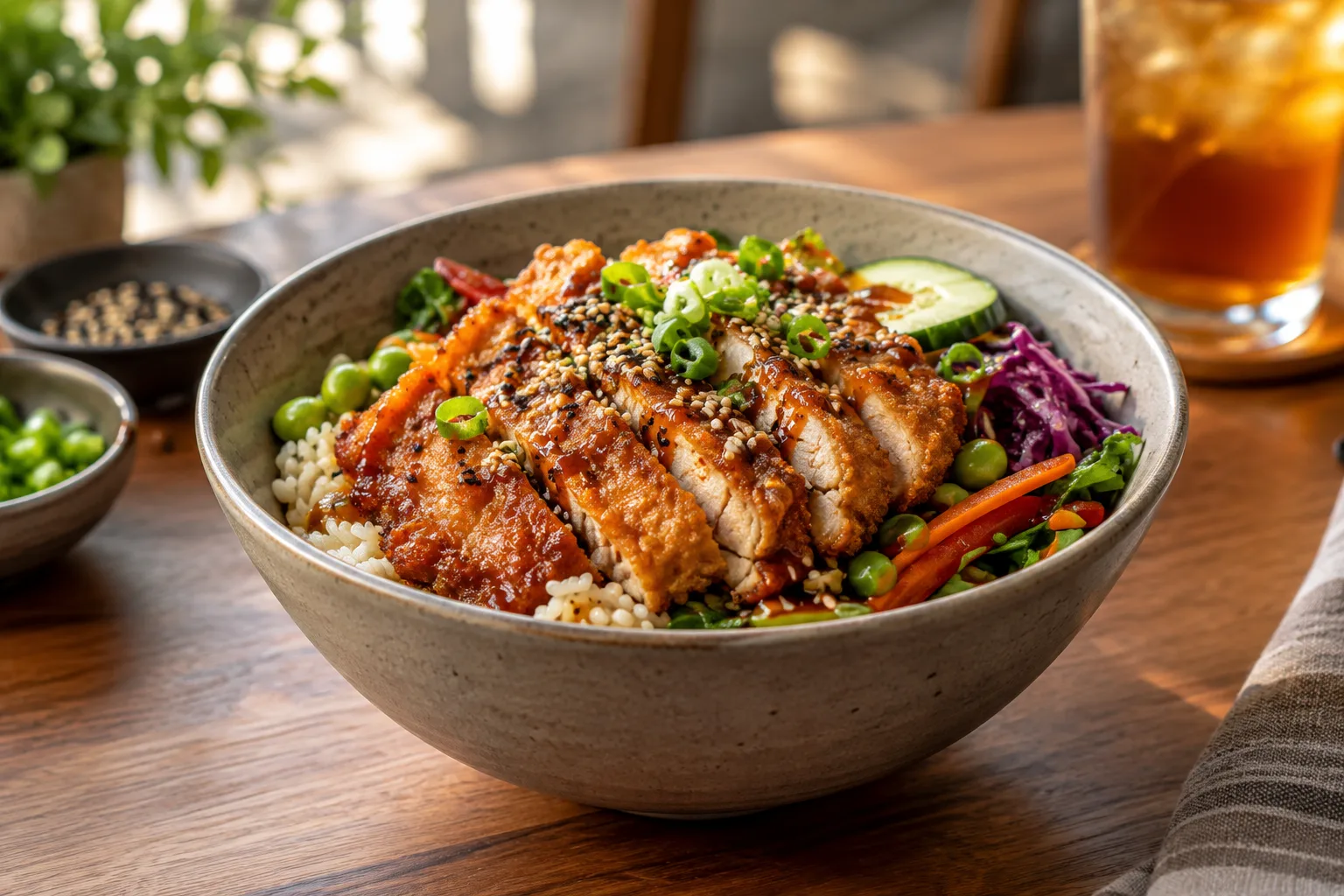
10% off the new crispy chicken bowl.
The schedule
Monday–Friday lunch, pickup only, for two weeks.
The campaign copy
“Meet your new lunch favourite. Get 10% off our crispy chicken bowl when you order pickup this week.”
Crispy chicken rice bowl with fresh vegetables
Weekday lunch · pickup Meet your new
lunch favourite.
10% off

Our new crispy chicken bowl.

Order pickup ↗
Example customer-facing banner. Illustrative design, not a live promotion or an exact product screenshot.

Available today: scheduled campaign preparation using your preferences. Review and publishing remain separate steps. The approval loop above shows the planned experience; publishing requires connected accounts and platform permissions.

Your next step

Put it to work for your restaurant.

Start with your free website. Add the tools you need as you grow.